
Zero-Downtime Database Migration
Strategies for Uninterrupted Business Operations
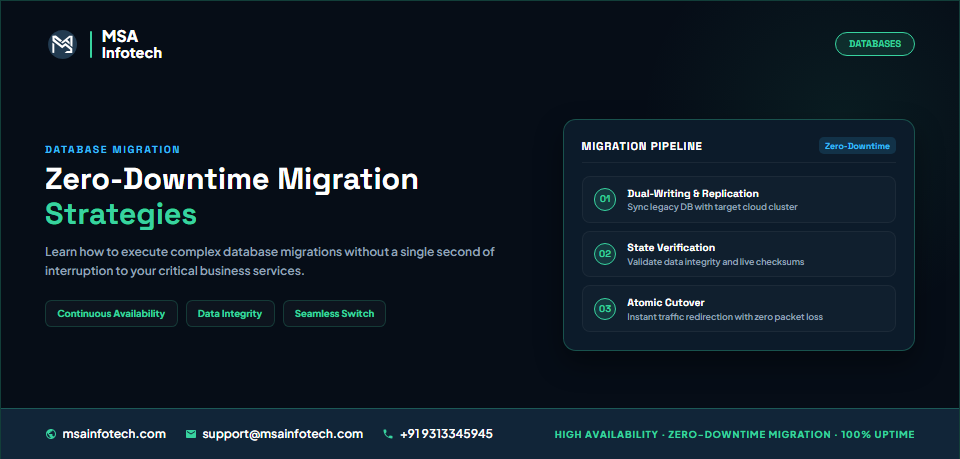
Introduction
Modern
businesses rely on databases to support critical applications, customer
transactions, reporting systems, and daily operations. As organizations grow,
they may need to migrate databases to newer platforms, cloud environments, or
upgraded infrastructure.
However,
database migration comes with an important challenge: how can organizations
move their data without interrupting business operations? Traditional migration
approaches may require application downtime, which can affect users, delay
transactions, and disrupt business activities. Zero-downtime database migration
uses carefully planned strategies to minimize or avoid these interruptions.
What Is Zero-Downtime Database Migration?
Zero-downtime
database migration is an approach to moving a database from one environment to
another while keeping business applications available throughout the migration
process. Rather than shutting down the existing database immediately,
organizations maintain the source environment while preparing and synchronizing
the target environment.
The objective
is to minimize service interruption during the transition and ensure that
applications can continue operating with accurate and consistent data.
Why Businesses Need Zero-Downtime Migration
Database
downtime can affect more than technical operations. It may interrupt
customer-facing applications, delay business transactions, and reduce employee
productivity. Reducing downtime is especially important for:
·
E-commerce
platforms that process continuous customer orders.
·
Financial
applications that handle business transactions.
·
Enterprise
systems supporting daily operations.
·
Customer
portals that require continuous availability.
·
Reporting
platforms that depend on regularly updated data.
Key Strategies for Zero-Downtime Database Migration
Continuous Data Replication
Replication
keeps the target database updated with changes made to the source database.
This reduces the amount of data that needs to be transferred during the final
transition.
Change Data Capture (CDC)
CDC identifies
changes made to the source database and transfers those changes to the target
environment. It helps maintain synchronization while applications continue
using the existing database.
Blue-Green Database Deployment
This approach
prepares a new database environment alongside the existing one. Once the target
environment is validated and ready, application connections can be redirected through
a controlled transition.
Phased Migration
Instead of
moving everything at once, organizations migrate selected databases,
applications, or workloads in stages. This can make complex migrations easier
to manage and validate.
Common Challenges During Database Migration
·
Data
consistency: Changes made during migration must be accurately reflected in the
target database.
·
Application
compatibility: Applications may depend on database-specific features, queries,
stored procedures, or configurations.
·
Performance
differences: The target environment may behave differently under existing
application workloads.
·
Data
validation: Teams must verify that records, relationships, and critical
business data have transferred correctly.
·
Unexpected
errors: Network interruptions, configuration issues, and synchronization delays
can affect migration progress.
Identifying
these risks early helps teams prepare appropriate mitigation strategies.
A Practical Approach to Planning Migration
A successful
migration requires more than transferring database records. It involves
understanding dependencies, validating the target environment, and preparing a
controlled transition.
1. Assessment:
Review the existing
database, applications, integrations, and dependencies.
2. Planning:
Select the migration
approach based on business requirements and technical limitations.
3. Target
preparation: Configure
the destination database, security, networking, and performance settings.
4. Initial
data transfer: Move
existing data to the target environment.
5. Synchronization:
Apply ongoing changes
through replication or CDC.
6. Testing
and validation: Verify
data accuracy, application compatibility, and performance.
7. Controlled
cutover: Redirect
application connections after confirming that the target environment is ready.
A rollback plan
should also be prepared in case the transition encounters unexpected issues.
Best Practices for Minimizing Migration Risks
·
Perform
a complete database and application dependency assessment.
·
Test
migration procedures in a non-production environment.
·
Monitor
replication lag and synchronization status.
·
Validate
data before and after migration.
·
Coordinate
application teams, database administrators, and business stakeholders.
·
Define
clear cutover and rollback procedures.
·
Monitor
application performance after the transition.
It is also
important to understand that zero-downtime migration is not guaranteed in every
environment. Some database platforms or application architectures may require a
brief interruption during the final cutover.
Conclusion
Zero-downtime
database migration helps organizations modernize their database infrastructure
while maintaining business application availability. By combining continuous
data synchronization, careful validation, phased planning, and controlled
cutover procedures, businesses can significantly reduce migration-related
disruption.
The right
migration strategy depends on the existing database environment, application
dependencies, data consistency requirements, and acceptable downtime.
At MSA
Infotech, a structured approach to database modernization and integration can
help businesses plan technology transitions while keeping operational
continuity a priority.
Planning a database migration? Connect with MSA Infotech to explore an approach aligned with your business and technology requirements.