
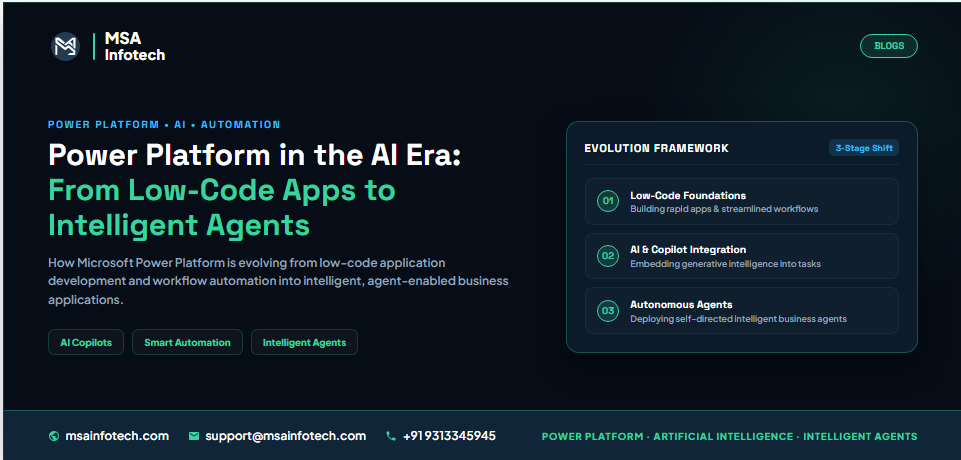
Power Platform in the
AI Era:
From Low-Code Apps to Intelligent Agents
How Microsoft Power Platform is evolving from low-code application development and workflow automation into intelligent, agent-enabled business applications.
Executive Summary
Microsoft Power
Platform has changed how organizations build business applications, automate
processes and work with data. The next stage is bringing these capabilities
together with AI so applications can assist users, understand context and
participate in business processes.
The shift is
not simply from low-code to AI. It is a shift toward intelligent business
experiences that combine data, automation, AI assistance and agents.
From Low-Code Apps to Intelligent Business
Applications
Traditional
applications are built around screens, forms, records and predefined workflows.
AI adds a new layer that can interpret requests, surface relevant information
and guide the next step.
What Makes a Business Application AI-Ready?
AI works best
when connected to reliable business information and clear processes.
Organizations should establish strong data, permissions, ownership and
governance before adding an AI layer.
Power Apps + AI: Building Smarter User
Experiences
Power Apps
provides the application layer for business processes. AI can help users
understand information and complete tasks more naturally while the application
remains the structured business interface.
Power Automate + AI Agents: From Workflows
to Intelligent Processes
Power Automate
handles predictable steps such as approvals, notifications, updates and
integrations. AI and agents can add context and decision support where
appropriate.
The Role of Copilot Studio
Copilot Studio
can be used to build conversational and agent experiences connected to business
knowledge, actions and workflows, creating an AI interaction layer around Power
Platform solutions.
Power Apps MCP and Agent-Connected
Applications
The Model
Context Protocol (MCP) is an emerging approach for connecting AI agents with
tools and application capabilities. Agent-connected applications can help AI
interact with approved business actions, with permissions and governance
remaining essential.
A Practical Business Scenario
For an employee purchase request, a Power App can collect the request, an AI layer can interpret context, Power Automate can route approval, Dataverse can store the result, and the employee can receive an update. AI becomes an intelligence layer around the existing process.
AI-Ready Foundation Checklist
·
Reliable
structured business data
·
Clear
business rules and processes
·
Defined
roles and permissions
·
Consistent
data ownership
·
Automated
predictable workflows
·
Security
and governance controls
Power Platform Components and Their Roles
|
Requirement |
Capability |
Typical Role |
|
Business
application |
Power
Apps |
User
experiences and process applications |
|
Business
data |
Dataverse |
Structured
data and relationships |
|
Automation |
Power
Automate |
Approvals,
notifications and integrations |
|
Analytics |
Power
BI |
Reports
and insights |
|
AI
/ agents |
Copilot
Studio |
Conversational
and agent experiences |
|
AI
connections |
MCP
/ connectors / APIs |
Approved
tools, actions and data |
Security and Governance Cannot Be an
Afterthought
As solutions
become more connected and intelligent, governance becomes increasingly
important. Organizations should control access, connectors, agents, data
sources and AI-assisted processes.
·
Use
appropriate identity and access controls.
·
Limit
access to sensitive data.
·
Define
approved connectors and integration patterns.
·
Monitor
applications, flows and agents.
·
Test
AI-assisted processes before production.
·
Keep
human approval for high-impact decisions.
When Should a Business Use Power Apps,
Power Automate or AI Agents?
|
Business
Need |
Best Fit |
Why |
|
Build
an application |
Power
Apps |
Tailored
user experience |
|
Automate
predictable work |
Power
Automate |
Repeatable
governed execution |
|
Store
business data |
Dataverse |
Reliable
business data foundation |
|
Analyze
performance |
Power
BI |
Dashboards
and insights |
|
Conversational
/ agent experience |
Copilot
Studio |
Knowledge
and actions |
|
Context-driven
tasks |
AI
Agents + Power Platform |
AI
reasoning with approved capabilities |
Common Mistakes to Avoid
·
Adding
AI before fixing poor-quality data.
·
Automating
a broken process.
·
Giving
agents unnecessary access.
·
Building
apps without ownership and governance.
·
Ignoring
connector and integration governance.
·
Treating
AI output as automatically correct.
·
Using
agents for sensitive decisions without proper human accountability.
A Practical Roadmap for AI-Enabled Power
Platform
1.
Identify
a valuable business process.
2.
Simplify
the process before automating it.
3.
Build
the foundation with Power Apps, Dataverse and Power Automate.
4.
Connect
approved data and business systems.
5.
Add
Copilot or agents where they provide measurable value.
6.
Govern,
monitor and improve continuously.
Frequently Asked Questions
What is Power Platform in
the AI era?
It is the
evolution of Power Apps, Power Automate, Dataverse, Power BI and
Copilot-related capabilities toward more intelligent business applications.
Are AI agents replacing
Power Apps?
No. Applications
and agents can work together: Power Apps provides structured experiences while
agents assist with context-driven interactions and tasks.
What is the role of Power
Automate with AI?
Power Automate
executes predictable, governed actions while AI can help interpret context or
guide parts of a process.
Is Copilot Studio required
for every AI use case?
No. The
appropriate capability depends on the business scenario, data, architecture and
required level of agent interaction.
Why is governance
important?
AI-enabled
applications and agents may interact with business data and actions, so
permissions, monitoring, testing and accountability are essential.
How MSA Infotech Can Help
MSA Infotech
provides Power Apps, Power Automate, Microsoft 365, Power BI, SharePoint, AI/ML
integration and custom software development capabilities. These capabilities
can help organizations modernize processes while building a scalable foundation
for automation and intelligent business applications.
Conclusion
Power Platform is moving beyond low-code application development and repetitive automation. With AI, Copilot and agents, organizations can build more connected and responsive business experiences. The strongest approach is to begin with reliable data, clear processes and secure architecture, then introduce AI where it creates measurable value.
“Build less around tasks, and more around intelligence—because the future of business is not just automated, it is intelligent.”