
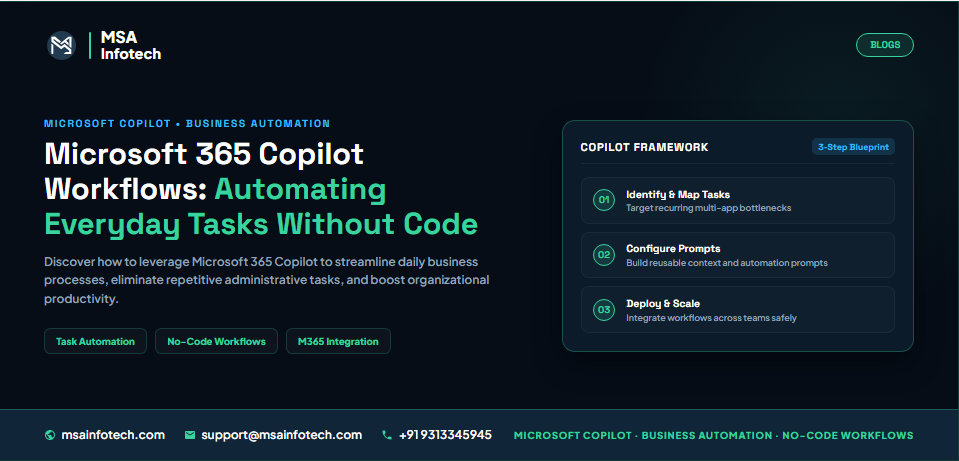
MICROSOFT COPILOT | BUSINESS AUTOMATION
Microsoft 365 Copilot Workflows: Automating Everyday Business Tasks Without Writing Code
Executive Summary
Many business
processes involve small but repeated actions: preparing a meeting summary,
notifying a team when a document is added, collecting information for a review
or reminding people about an upcoming task. Across a team, these activities can
interrupt work and create avoidable manual effort.
Microsoft 365 Copilot Workflows is a natural-language-oriented workflow creation experience intended to help eligible users describe certain everyday automations across supported Microsoft 365 services. The generated setup still needs review, testing and appropriate permissions. Availability and capabilities can vary by subscription, tenant configuration, region and product release.
Why Businesses Need Smarter Everyday Workflows
Employees often
switch between email, collaboration spaces, document libraries and task tools
to complete routine work. A person may check for a new document, inform
colleagues, create a follow-up task and make sure the right people have the
information. If every step depends on someone remembering, delays and
inconsistencies can occur.
·
The
same sequence of steps is performed repeatedly.
·
People
manually copy information between applications.
·
Notifications
and reminders depend on someone remembering to send them.
·
Requests
are delayed because ownership or the next action is unclear.
·
Teams
struggle to follow a consistent process.
Not every
activity should be automated. Processes involving sensitive decisions,
exceptions or complex judgement may still require substantial human
involvement.
What Are Microsoft 365 Copilot Workflows?
Microsoft 365 Copilot
Workflows is a Copilot-related workflow creation experience that lets eligible
users describe an intended process in natural language. The experience can help
translate that description into a workflow using supported triggers and
actions. A typical workflow includes a trigger that starts it, actions that
perform tasks and, where supported, conditions that determine what happens
next.
For example, a workflow could start when a file is added to a specified location and then perform a permitted notification or follow-up action. The exact options depend on the current product experience and the organisation's environment.
How Natural Language Can Create Business Workflows
Instead of
starting with a blank automation canvas, a user may be able to describe the
desired result in everyday language. A clear description gives the
workflow-building experience a better starting point.
·
What
event should start the workflow?
·
Which
information, file or location should it monitor?
·
Who
should receive a notification or follow-up?
·
What
action should happen, and under which conditions?
·
What
should happen if information is missing or an error occurs?
For example:
“When a new project document is added to the approved SharePoint library,
notify the project channel.” A useful instruction should also identify the
exact library, channel, message and any conditions. Always inspect the
generated configuration rather than assuming the first result is correct.
Automating Tasks Across Outlook, Teams and SharePoint
Workflows may
connect activities across supported services, subject to the actions and
connectors available in the user's environment. The examples below are
illustrative patterns, not a guarantee that every action is available to every
tenant or licence.
|
SERVICE AREA |
ILLUSTRATIVE WORKFLOW |
POTENTIAL VALUE |
|
Outlook |
Create a follow-up
reminder or notify an owner when a supported email-related event occurs. |
More consistent
communication follow-up. |
|
Teams |
Send a notification
to an appropriate team or channel when a defined event occurs. |
Keeps relevant
colleagues informed. |
|
SharePoint |
Notify a team when
a document is added or updated in an approved library, where supported. |
Improves visibility
of shared content. |
|
Planner / tasks |
Create or route a
follow-up task when supported conditions are met. |
Makes ownership and
next steps easier to track. |
Before
implementing an example, confirm the exact trigger and action in the current
product experience, along with licensing and permissions.
Practical Business Use Cases
Document notifications
When an
approved document is added to a shared location, notify the relevant team so
members know new material is available.
Meeting follow-up
Use a supported
event or action to remind an owner about a follow-up task after a meeting.
Meeting notes and action items should still be checked by the responsible
person.
Routine request routing
Where the
process and connectors allow it, route a standard request to the appropriate
person or team based on defined information.
Project status reminders
Help remind owners to review or update project information regularly, using approved data and notification channels.
Copilot Workflows vs Traditional Automation
Natural-language
workflow creation and traditional automation are not necessarily competing
approaches. Natural language can make it easier to express an idea, while
established automation tools may provide more detailed control for complex
processes.
|
DIMENSION |
COPILOT-ASSISTED CREATION |
TRADITIONAL AUTOMATION DESIGN |
|
Starting point |
Describe the
intended process in natural language, where available. |
Configure triggers,
actions and conditions directly. |
|
Getting started |
Can lower the
initial barrier for simple supported scenarios. |
May require more
familiarity with the automation platform. |
|
Control and complexity |
Bounded by
supported capabilities and generated configuration. |
Can offer detailed
design options depending on platform and connectors. |
|
Best fit |
Straightforward
tasks matching supported actions. |
Complex processes,
advanced branching or specific integrations. |
The right
choice depends on the process, licences, data sources, governance requirements
and control needed. A Copilot-assisted starting point may still need refinement
in an automation platform.
Benefits, Limitations and Implementation Considerations
Potential benefits
·
A
more approachable way to express simple workflow ideas.
·
Less
repetitive manual coordination for suitable processes.
·
More
consistent notifications and follow-up steps.
·
An
opportunity to standardise routine work across teams.
Important limitations and checks
·
Feature
availability can depend on licence, tenant settings, region and release stage.
·
Only
supported triggers, actions and connected services can be used.
·
Workflows
run with defined permissions; avoid granting broader access than necessary.
·
Incorrect
prompts or configuration can produce an unsuitable workflow, so testing is
essential.
·
Sensitive
or high-impact processes may require formal review and human approval.
·
Administrators
should review data handling, connector policies, monitoring and ownership.
A responsible rollout should include a process owner, safe testing, clear access controls, error handling and a documented way to pause or change the workflow.
Frequently Asked Questions
What are Microsoft 365 Copilot Workflows?
It is a Copilot-related experience intended to help eligible users describe and create supported workflows using natural language. Exact capabilities and availability can change.
Do users need coding skills?
The natural-language approach is designed to reduce the need to build every step manually. Users still need to understand the process and review, configure and test the resulting workflow.
Can workflows connect Outlook, Teams and SharePoint?
They may use supported Microsoft 365 services and actions. Exact options depend on the current product experience, licence, tenant configuration and permissions.
Are Copilot Workflows available to every Microsoft 365 user?
Not necessarily. Availability may depend on subscription, rollout status, region and administrator settings. Check current Microsoft documentation and the organisation's tenant before deployment.
How MSA Infotech Can Help
MSA Infotech
can help organisations identify repetitive Microsoft 365 tasks and assess
whether Copilot-assisted workflows, Power Automate or a combination is
suitable. The objective is to select a solution based on the actual business
process rather than forcing every requirement into one tool.
·
Reviewing
the current process and identifying avoidable manual steps.
·
Checking
Microsoft 365 licensing, feature availability and tenant configuration.
·
Designing
a small proof of concept using approved data and permissions.
·
Testing
triggers, actions, exceptions and notifications with business users.
·
Documenting
ownership, monitoring, support and future improvements.
By combining
process understanding with Microsoft technology expertise, MSA Infotech can
help businesses build workflows that are practical, maintainable and aligned
with their operating requirements.
Conclusion
Microsoft 365
Copilot Workflows points toward a more accessible way for users to describe and
create certain everyday automations. The opportunity is not simply to automate
more tasks; it is to make routine processes clearer, more consistent and easier
to manage.
The best starting point is a small, well-understood workflow with clear ownership and low risk. Validate the generated setup, confirm permissions, test real scenarios and keep people involved wherever judgement or approval is required.
Natural language can make workflow creation easier. Good process design, testing and governance make the workflow dependable.