
Microsoft Dynamics GP Integration for
Manufacturing:
Connecting POS, PostMaster, SmartConnect and Enterprise Systems
An anonymized UK manufacturing scenario
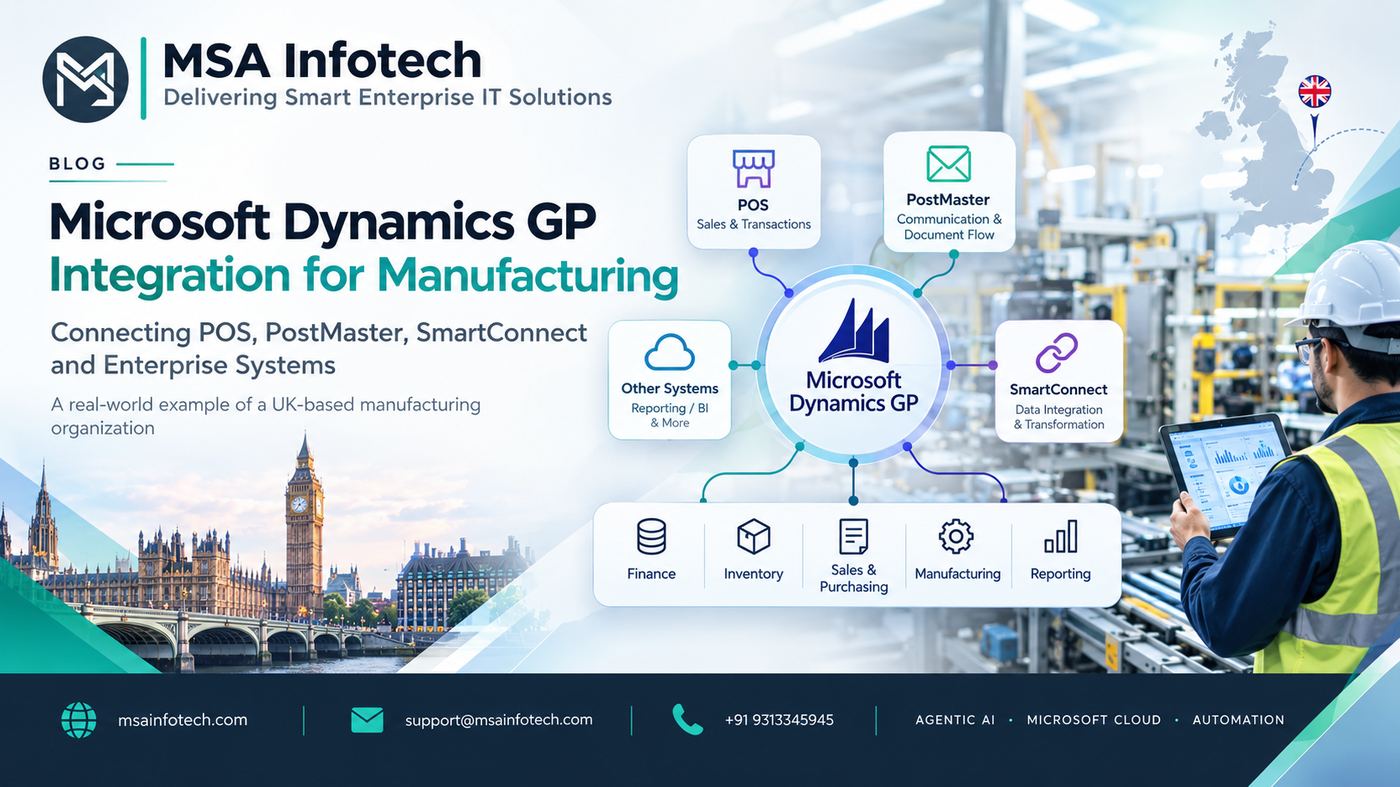
How a connected integration landscape can bring operational
data, ERP processes and business visibility together.
|
EXECUTIVE TAKEAWAY |
Introduction
Manufacturing
organizations rarely operate from a single application. Point-of-sale
platforms, warehouse and operational tools, customer-facing applications,
reporting systems and legacy applications may each manage a specific part of
the business. The challenge is making those systems work together without
creating duplicate data, manual re-entry or disconnected processes.
This article
explores an anonymized UK-based manufacturing scenario in which Microsoft
Dynamics GP sat at the center of the back-office environment while systems such
as POS, PostMaster and SmartConnect formed part of the wider integration
landscape. The focus is on the architecture and business thinking required to
connect multiple systems around an ERP core.
The Role of Microsoft Dynamics GP in a Manufacturing
Environment
Microsoft
Dynamics GP is an ERP platform that can support structured back-office
processes across finance, inventory, sales, purchasing and manufacturing.
Microsoft’s manufacturing documentation describes capabilities covering bills
of materials, sales order processing, manufacturing orders, work in process,
quality assurance, job costing and material requirements planning.
For an
organization with several operational applications, this makes GP an important
system for the business processes that affect financial and inventory
positions. The value increases when upstream and downstream applications can
exchange information in a controlled way rather than relying on repeated manual
entry.
The Integration Landscape: POS, PostMaster and SmartConnect
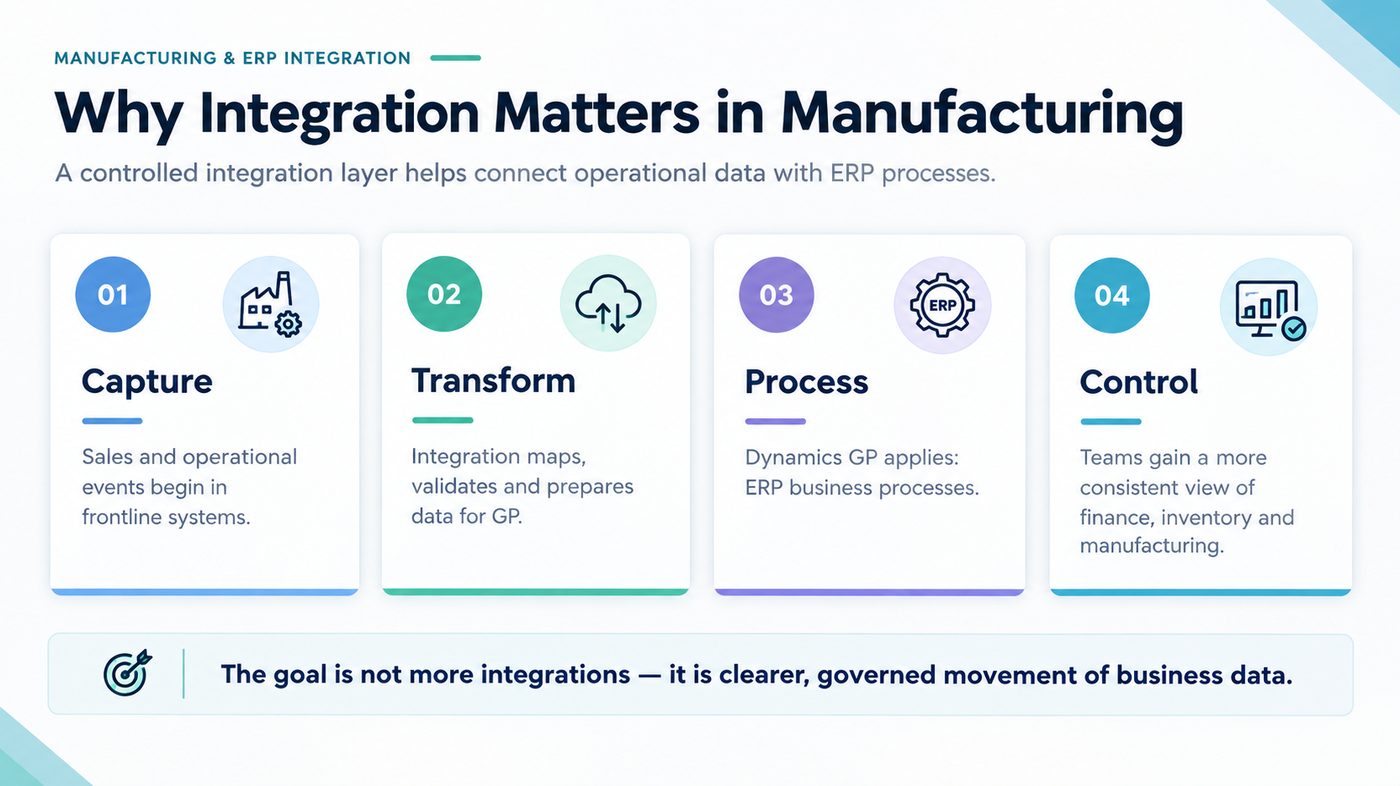
· POS — A frontline operational system that can
generate sales or transaction data that may need to be reflected in back-office
processes.
· PostMaster — A supporting application in the
organization’s integration landscape. Its exact role and interface direction
should be confirmed against project documentation before publication.
· SmartConnect — An integration platform from eOne
Solutions that can connect data sources and destinations, transform/map data,
and integrate with Dynamics GP through supported GP integration mechanisms.
· Microsoft Dynamics GP — The ERP core where financial, inventory,
sales, purchasing and manufacturing processes can be managed.
Why Integration Became Important
As the number
of applications grows, the risk is not simply technical complexity. The bigger
business risk is inconsistency: one system may show a transaction as completed
while another still requires manual entry or reconciliation. In manufacturing,
this can affect inventory visibility, order processing, purchasing, production
planning and financial reporting.
· Reduce
repetitive manual data entry between operational systems and the ERP.
· Create
more consistent movement of transactional information.
· Improve
visibility into information that crosses application boundaries.
· Provide
a repeatable integration method instead of building one-off connections for
every process.
· Make
monitoring and exception handling part of the integration design.
How SmartConnect Fits Around Dynamics GP
SmartConnect is
designed for multi-system integration and can work with Dynamics GP through
eConnect. eOne documentation describes the Dynamics GP destination as
converting mapped data into eConnect format before submitting it for GP
processing. Microsoft also documents eConnect as a programmable integration
solution for accessing Dynamics GP back-office transactions.
This creates a
useful separation of responsibilities: source systems can focus on the business
activities they are designed to manage, the integration layer can handle
mapping and transformation, and Dynamics GP can process supported ERP
transactions using its integration mechanisms.
For the UK
manufacturing scenario, the practical objective would be to define each
interface by business event: what data starts the process, which system owns
that data, what validation or transformation is required, where the information
is sent, and how a failure is identified and resolved.
llustrative Integration Architecture
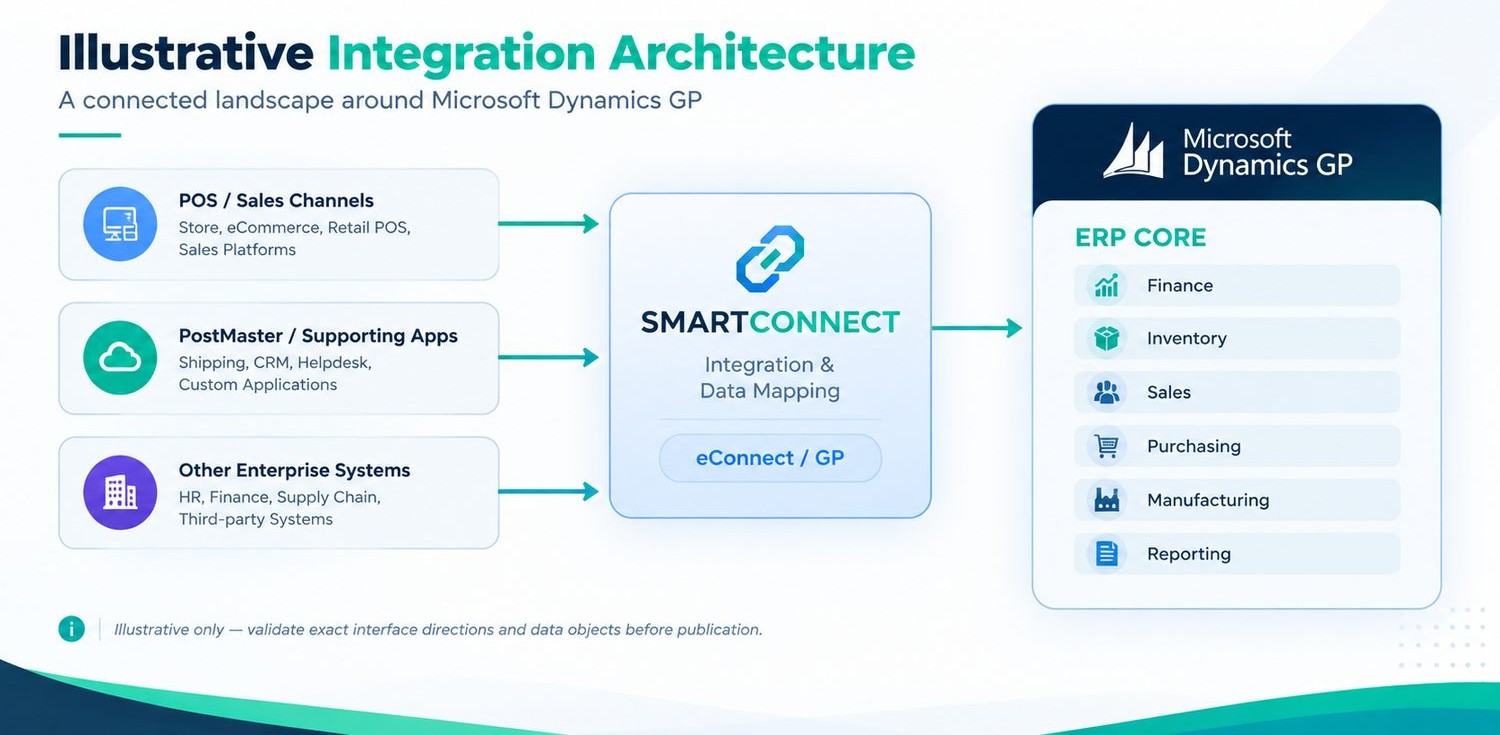
The diagram is
an illustrative architecture based on the systems described for the scenario.
It intentionally avoids claiming an exact interface direction for PostMaster or
other systems where project documentation has not been provided. A mature
integration design should document source, destination, trigger, data object,
transformation, validation, schedule/real-time requirement, monitoring and
exception handling for each interface.
The Manufacturing Data Flow
Manufacturing
creates dependencies between sales, inventory, purchasing, production and
finance. A transaction captured at the operational edge can eventually
influence stock, order status, purchasing requirements or financial records.
Microsoft Dynamics GP Manufacturing is designed to support processes including
bills of materials, routings, manufacturing orders, work in process and
planning.
Integration
should therefore be designed around business processes rather than around
tables alone. The important question is not simply “Can these systems connect?”
but “What business event needs to move, when does it move, what validation is
required, and which system is responsible for the final state?”
Common Integration Challenges
|
Challenge |
Practical Response |
|
Duplicate or inconsistent data |
Define system ownership and
a single source of truth for each business object. |
|
Manual re-entry |
Automate repeatable
transactions where supported and appropriate. |
|
Data mapping differences |
Create explicit field
mappings, transformation rules and validation requirements. |
|
Integration failures |
Use run logs, alerts and a
documented retry/reconciliation process. |
|
Unclear dependencies |
Maintain an interface
catalogue showing every source, destination and business purpose. |
|
Changing requirements |
Design integrations so
mappings and workflows can be maintained without unnecessary custom code. |
Business Benefits of a Connected GP Ecosystem
· Operational efficiency: Less repetitive re-keying and fewer
manual hand-offs.
· Data consistency: More controlled movement of transactions
between systems.
· Visibility: A clearer path from operational events to
ERP records and reporting.
· Scalability: A reusable integration layer can reduce
the need for isolated point-to-point interfaces.
· Governance: Defined mappings, ownership and
monitoring make integrations easier to support.
· Better decision support: More consistent operational and ERP data
can improve management reporting.
What a Strong Integration Design Should
Document
1.
Source
application and destination application.
2.
Business
process and transaction type.
3.
Trigger:
real-time, scheduled, batch or user initiated.
4.
Data
mapping and transformation rules.
5.
Validation
and business-rule requirements.
6.
Error
handling, retry and reconciliation process.
7.
Security,
credentials and access responsibilities.
8.
Monitoring,
logging and ownership.
9.
Volume,
performance and availability expectations.
10. Support and change-management process.
Key Takeaways
|
Principle |
What It Means |
Why It Matters |
|
ERP as a process core |
Keep core finance, inventory
and manufacturing processes governed inside GP where appropriate. |
Supports consistency and
control. |
|
Integration as a managed layer |
Treat mappings, monitoring
and exceptions as part of the solution. |
Reduces hidden operational
risk. |
|
Business-first interfaces |
Design around business
events and ownership, not only technical connectivity. |
Makes architecture easier to
understand and maintain. |
|
Documented architecture |
Maintain an interface
catalogue and current data-flow diagram. |
Simplifies support,
onboarding and future change. |
How MSA infotech can help
MSA Infotech can
support organizations with ERP integration planning, application connectivity,
data mapping, custom integration development, monitoring and modernization
initiatives. The right approach starts with understanding the existing
application landscape and documenting business-critical flows before selecting
or extending an integration pattern.
Conclusion
For a
manufacturing organization operating Microsoft Dynamics GP alongside POS,
PostMaster and other business applications, integration is not a secondary
technical concern. It is part of the operating model that connects frontline
transactions with ERP processes, inventory and financial visibility.
The UK manufacturing
scenario illustrates the value of thinking about integration as an
architecture: define system ownership, establish controlled data flows, use
supported GP integration mechanisms, monitor exceptions and keep the design
aligned with business processes. With the right governance, an integration
layer can help an organization get more value from its existing Dynamics GP
investment while reducing the friction created by disconnected applications.
“Connect the systems. Simplify the
processes. Empower the business.”