
Docker for .NET
Applications: A Practical Guide to Containerizing ASP.NET Core
From application code →
Docker image → container → CI/CD → Azure & Kubernetes
Executive Summary
Docker provides a
consistent way to package an ASP.NET Core application together with the
components it needs to run. This can reduce environment differences, simplify
deployment, improve CI/CD consistency, and provide a practical foundation for
modern application delivery.
For .NET teams, the value
of Docker is not simply running an application inside a container. The larger
benefit is creating a repeatable path from development to testing, deployment,
and—when required—Kubernetes-based orchestration.
|
Containerization
is most valuable when it makes application delivery more consistent,
repeatable, and easier to operate. |
Introduction
Modern .NET applications
are deployed across development, testing, staging, and production environments.
Differences between environments can create deployment surprises, dependency
conflicts, and configuration issues. Docker addresses part of this challenge by
packaging an application and its runtime requirements into a container image.
The same image can then be used across multiple environments, subject to the
required configuration and platform controls.
Why Containerize .NET Applications?
·
Consistent
execution across development, testing, and deployment environments.
·
Simpler
packaging of the application and its runtime dependencies.
·
Faster and more
repeatable deployments through CI/CD pipelines.
·
Isolation
between applications and their runtime environments.
·
A clear path
from standalone Docker deployment to Kubernetes-based orchestration.
What Is Docker in a .NET Environment?
Docker is a container
platform that packages software into portable units called containers. In a
.NET environment, a container can include an ASP.NET Core application, the
appropriate .NET runtime, and the files required to run the application. A
useful distinction is that a Docker image is the packaged blueprint, while a
container is a running instance of that image.
How Docker Works with ASP.NET Core
·
Develop the
ASP.NET Core application.
·
Publish the
application for the target runtime.
·
Define a Docker file that describes how the image should be built.
·
Build the Docker
image.
·
Run the image as
a container.
·
Connect the
container to required configuration, services, networking, and storage.
Creating a Docker Image for a .NET
Application
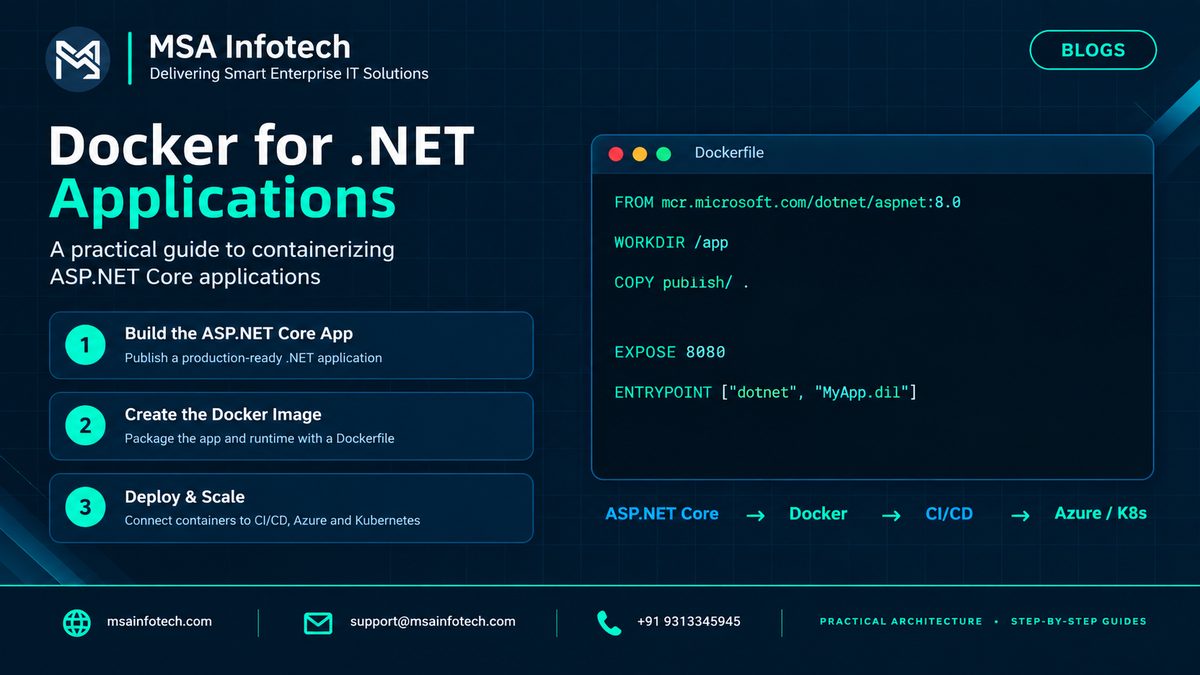
A Dockerfile defines the
steps used to create the image. For a simple ASP.NET Core deployment, the image
can use an official .NET runtime image and copy the published application into
the container.
|
FROM
mcr.microsoft.com/dotnet/aspnet:8.0 |
The exact base image,
application DLL name, port, and build strategy should match the application’s
target framework and deployment requirements. For production builds,
multi-stage Docker builds are commonly used to separate compilation from the smaller
runtime image.
Running and Deploying the Container
After building the image,
the application can be started as a container and exposed through the required
port. Configuration such as connection strings, secrets, environment-specific
values, and service endpoints should normally be supplied through the
deployment environment rather than hard-coded into the image. As deployments
grow, the container becomes one component of a wider platform that can include
registries, networking, monitoring, security controls, and orchestration.
Docker + .NET in CI/CD
Docker becomes especially
useful when integrated into a CI/CD workflow. A common pipeline can build the
application, run tests, create a container image, validate or scan the image,
push it to a container registry, and deploy the approved image to the target
environment.
|
Stage |
Typical
activity |
Outcome |
|
Build |
Compile and publish the .NET application |
Deployable application |
|
Containerize |
Build the Docker image |
Repeatable runtime package |
|
Validate |
Run tests and image/security checks |
Approved artifact |
|
Release |
Push and deploy the image |
Consistent deployment |
From Docker to Kubernetes
Docker solves the
packaging and container runtime problem. Kubernetes addresses a different
problem: managing containerized workloads at scale. It can help coordinate
deployments, service discovery, scaling, rollout strategies, and workload
recovery. The two technologies therefore complement each other rather than
replace each other.
|
Docker packages the
application. Kubernetes helps operate the application at scale. |
Common Challenges to Consider
· Container configuration and environment-specific settings need careful management.
· Secrets should not be embedded directly in Docker files or container images.
· Images should be maintained and reviewed for outdated dependencies.
· Networking, logging, monitoring, storage, and health checks become important as deployments grow.
· Teams moving to Kubernetes need additional knowledge of orchestration and platform operations.
A Practical Adoption Roadmap
·
Start — Containerize one representative ASP.NET Core application.
·
Standardize — Create repeatable Docker file and image-building
practices.
·
Automate — Add image creation and testing to CI/CD.
·
Secure — Introduce image scanning, secrets management, least
privilege, and controlled registries.
·
Scale — Evaluate Kubernetes or Azure Kubernetes Service when orchestration
needs justify it.
Frequently Asked Questions
Why use Docker for ASP.NET
Core?
Docker can provide
consistent application packaging and make deployment workflows more repeatable
across environments.
Does Docker replace
Kubernetes?
No. Docker focuses on
container packaging and runtime, while Kubernetes provides orchestration
capabilities for containerized workloads.
Can Docker be used with
.NET 8?
Yes. .NET 8 applications
can be containerized using appropriate .NET base images and a Dockerfile
aligned with deployment requirements.
When should a .NET team
consider Kubernetes?
Kubernetes becomes
relevant when the organization needs orchestration, automated scaling, service
management, and more advanced container operations.
How MSA Infotech Can Help
Containerization is most
effective when it is connected to the wider application delivery strategy. MSA
Infotech can support organizations with application modernization, .NET
development, Docker-based deployment, cloud integration, CI/CD automation, and
container orchestration initiatives.
·
.NET / ASP.NET
Core application development and modernization
·
Docker
containerization and deployment architecture
·
CI/CD pipeline
integration
·
Azure and cloud
deployment strategies
·
Kubernetes and
container orchestration solutions
·
Application
monitoring, support, and maintenance
Conclusion
Docker gives .NET teams a
practical way to package applications consistently and move toward more
repeatable deployment practices. For ASP.NET Core applications,
containerization can simplify the path from development to CI/CD and cloud
deployment. Kubernetes can then extend that approach when an organization needs
orchestration and scale. The right architecture depends on application
requirements, operational maturity, security expectations, and deployment
goals.