
Docker vs Kubernetes: How Modern Applications Run on Azure
Understanding containerization, orchestration, and Azure Kubernetes Service (AKS)
 Executive Summary
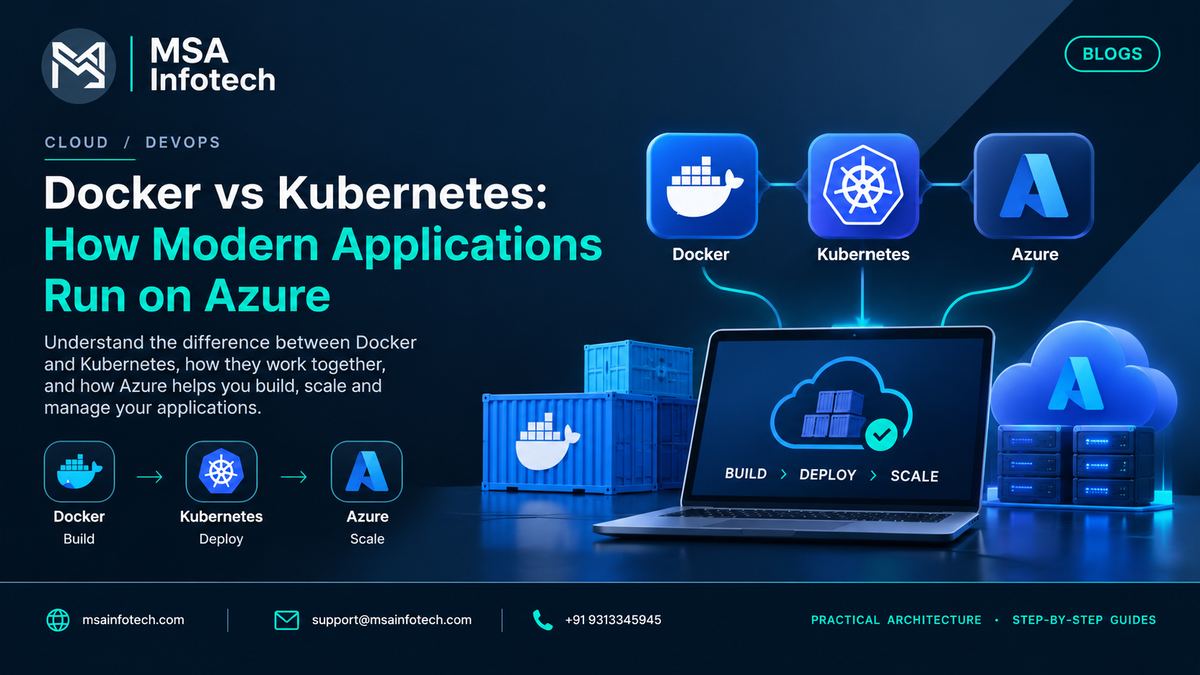
Modern applications increasingly need to be portable, scalable, and consistent across development, testing, and production environments. Docker helps package an application and its dependencies into containers, while Kubernetes provides the orchestration layer used to deploy, scale, and manage containerized workloads.
For organizations using Microsoft Azure, Azure Kubernetes Service (AKS) provides managed Kubernetes capabilities so teams can focus more on applications and less on operating the Kubernetes control plane. Microsoft describes AKS as a managed Kubernetes service for deploying and managing containerized applications at scale.
Introduction
Containerization
has changed how modern applications are built and deployed. Instead of
depending heavily on a particular server environment, applications can be
packaged with the components they need and moved consistently across
environments.
Docker and
Kubernetes solve different parts of this problem. Docker focuses on creating
and running containers. Kubernetes focuses on coordinating containers across a
cluster. On Azure, AKS provides a managed Kubernetes platform for production
workloads.
What is Docker?
Docker is a
container platform that packages an application together with its runtime,
libraries, configuration, and dependencies into a portable container image. The
same image can then be used across development, testing, and deployment
environments.
·
Package
applications and dependencies consistently
·
Create
isolated runtime environments
·
Improve
portability between development and deployment environments
·
Support
repeatable application delivery
·
Work
well with modern CI/CD pipelines
What Is Kubernetes?
Kubernetes is
an open-source container orchestration platform used to deploy, manage, and
scale containerized applications. Teams define the desired application state,
and Kubernetes works to maintain that state across a cluster.
·
Schedule
workloads across nodes
·
Maintain
desired application replicas
·
Support
service discovery and traffic distribution
·
Restart
or replace failed workloads
·
Scale
applications based on workload requirements
·
Manage
application deployments and updates
Docker vs Kubernetes: What Is the Difference?
|
Area |
Docker |
Kubernetes |
|
Primary role |
Containerization |
Container orchestration |
|
Main purpose |
Package and run applications in containers |
Deploy and manage containerized workloads |
|
Typical scope |
Individual containers / images |
Clusters, workloads, services, deployments |
|
Scaling |
Container-level execution |
Cluster and workload scaling |
|
Operations |
Build and run containers |
Manage application state across a cluster |
|
Azure connection |
Images can be used in Azure services |
AKS provides managed Kubernetes on Azure |
Docker and
Kubernetes are therefore complementary rather than simple substitutes: one
packages workloads, while the other orchestrates them.
How Docker and Kubernetes Work Together
A common
delivery flow starts with application code. Docker is used to build a container
image, the image is stored in a container registry, and Kubernetes deploys that
image as part of a managed workload. On Azure, teams can combine container
images with Azure services and AKS to create a code-to-cloud workflow.
|
1. Application Code |
2. Docker Image |
3. Container Registry |
4. Kubernetes Workload |
5. Production Application |
Why Azure Kubernetes Service (AKS) Matters
AKS is
Microsoft's managed Kubernetes service. Microsoft states that AKS reduces the
complexity and operational overhead of managing Kubernetes by shifting key
control-plane responsibilities to Azure. AKS supports containerized
applications at scale and integrates with Azure capabilities for security,
monitoring, networking, storage, and CI/CD.
·
Managed
Kubernetes operations
·
Scaling
and workload management
·
Integrated
monitoring and logging
·
Security
and governance capabilities
·
Integration
with Azure services and development tools
·
Support
for cloud-to-edge and modern AI workloads
Microsoft also
provides AKS Automatic, which adds production-ready defaults and automated
infrastructure operations, while AKS Standard provides deeper control for teams
with specific infrastructure requirements.
When Should Businesses Use Docker and Kubernetes?
Docker is
useful when the primary need is consistent application packaging and
portability. Kubernetes becomes more valuable when the environment requires
coordinated management of many containers or services.
|
Business
Need |
Potential
Fit |
|
Consistent application packaging |
Docker |
|
Portable development and deployment |
Docker |
|
Many containerized services |
Kubernetes |
|
Automated workload scheduling |
Kubernetes |
|
Application scaling across a cluster |
Kubernetes |
|
Managed Kubernetes on Azure |
AKS |
Real-World Example: Deploying a Business Application
Consider a
business application made up of a web front end, an API, and several supporting
services. Developers can package each service as a container. Kubernetes can
then deploy those containers as workloads, keep the required number of replicas
running, expose services, and support-controlled updates.
If the
application is deployed on Azure, AKS can provide the managed Kubernetes layer
while Azure services can support networking, monitoring, identity, storage, and
container image management.
Common Challenges to Consider
·
Kubernetes
introduces operational complexity and requires appropriate skills.
·
Container
security must cover images, dependencies, runtime behavior, identity, and
network access.
·
Monitoring
becomes important as the number of workloads and services grows.
·
Poorly
designed resource requests and limits can affect cost and performance.
·
Teams
should define deployment, backup, upgrade, and disaster-recovery practices
before production use.
·
Not
every application needs Kubernetes; simpler Azure container services may be a
better fit for some workloads.
A Practical Adoption Roadmap
|
Stage |
Focus |
Outcome |
|
1. Assess |
Application
architecture and workload needs |
Decide whether
containers are appropriate |
|
2. Containerize |
Create and test
Docker images |
Repeatable
application packaging |
|
3. Orchestrate |
Define Kubernetes
workloads and services |
Consistent deployment
and management |
|
4. Move to Azure |
Evaluate AKS and
supporting Azure services |
Managed cloud
deployment |
|
5. Operate |
Monitor, secure,
scale, and improve |
Production-ready
operations |
Frequently Asked Questions
Is
Docker the same as Kubernetes?
No. Docker
focuses on containerization, while Kubernetes focuses on orchestrating and
managing containerized workloads.
Do I need
Kubernetes to use Docker?
No. Docker can
be used independently when you only need container packaging and runtime
capabilities.
What is
AKS?
Azure
Kubernetes Service is Microsoft's managed Kubernetes service for deploying and
managing containerized applications on Azure.
Is
Kubernetes suitable for every application?
No. Kubernetes
can be powerful, but its operational complexity may not be justified for
simpler applications or workloads.
Can
Docker and Kubernetes be used with .NET applications?
Yes. .NET
applications can be containerized and deployed to Kubernetes-based
environments, including AKS.
How MSA Infotech Can Help
Modernizing
applications with containers is not only a technology decision; it is an
architecture and operations decision. MSA Infotech can help organizations
evaluate application workloads, design cloud and DevOps architectures,
containerize applications, and build deployment approaches aligned with
business requirements.
·
Docker-based
application containerization
·
Kubernetes
and Azure Kubernetes Service (AKS) solutions
·
Cloud
and DevOps architecture
·
CI/CD
and deployment automation
·
Application
modernization and migration
·
Monitoring,
security, and ongoing support
Conclusion
Docker and
Kubernetes solve different but complementary problems. Docker provides a
practical way to package applications into portable containers, while
Kubernetes provides the orchestration capabilities needed to operate
containerized workloads at scale.
For
organizations building on Microsoft Azure, AKS provides a managed Kubernetes
platform that connects Kubernetes with Azure's broader cloud ecosystem. The
right architecture still depends on workload requirements, operational
maturity, application design, security expectations, and long-term goals.