
Pandas: How to Read and Write Data to a SQL Database
Pandas read_sql() function is used to read data from SQL queries or database tables into DataFrame. This function allows you to execute SQL queries and load the results directly into a Pandas DataFrame. This function is a wrapper for the read_sql_query() and read_sql_table() functions, based on the input, it calls these functions internally and returns the SQL table as a two-dimensional data structure with labeled columns.
Following are the syntax of read_sql(), read_sql_query() and read_sql_table() functions.
# Syntax of read_sql()
pandas.read_sql(sql, con, index_col=None, coerce_float=True, params=None, parse_dates=None, columns=None, chunksize=None)
# Syntax of read_sql_query()
pandas.read_sql_query(sql, con, index_col=None, coerce_float=True, params=None, parse_dates=None, chunksize=None, dtype=None)
# Syntax of read_sql_table()
pandas.read_sql_table(table_name, con, schema=None, index_col=None, coerce_float=True, parse_dates=None, columns=None, chunksize=None)
Parameters :
· sql
· con
· index_col
· coerce_float
· params
· parse_dates
· columns
· chuynksize
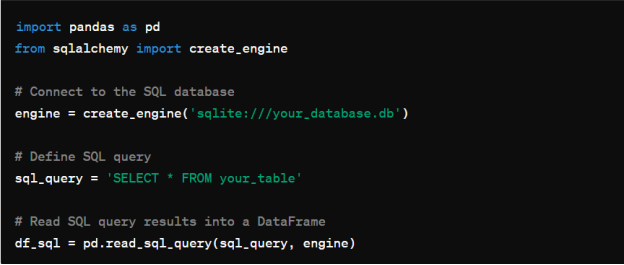
Below is the example of reading and writing to sql database :
Reading from SQL Database :
Writing to SQL Database :